Introduction:
Teaching has evolved significantly in the digital age, with technology enhancing the learning experience for both educators and students. In this blog post, we will explore a range of essential websites and tools that can empower educators to create engaging and interactive lessons. These resources will not only streamline the teaching process but also foster student engagement, collaboration, and achievement.
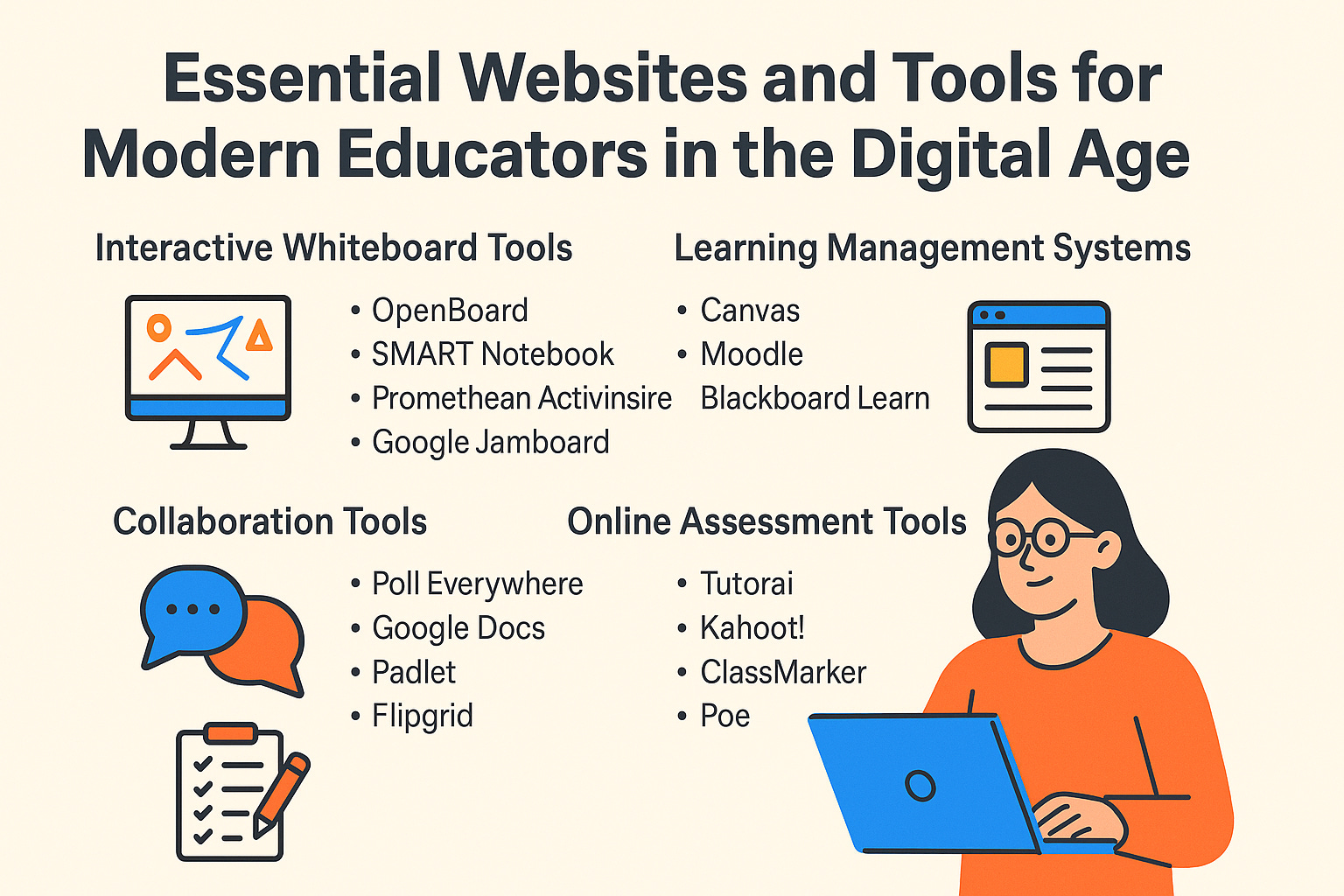
🎨 1. Interactive Whiteboard Tools
📚 2. Learning Management Systems (LMS)
Learning management systems have become integral to modern classrooms, providing a centralized platform for course delivery, content management, and student assessment. Here are a few widely-used LMS platforms:
Canvas: Canvas is a user-friendly LMS that offers a range of features such as content creation, gradebook management, and communication tools. It also supports integration with third-party applications and provides mobile access for on-the-go learning.
Moodle: Moodle is an open-source LMS that provides flexibility and customization options for educators. It offers features like discussion forums, assignment management, and online quizzes. Additionally, Moodle supports various multimedia formats and has a strong community for support.
Blackboard Learn: Blackboard Learn is a comprehensive LMS that caters to the needs of K-12 schools, colleges, and universities. It includes features such as content creation, assessment tools, and online collaboration. Blackboard Learn also integrates with other educational technologies like plagiarism detection software.
🤝 3. Collaboration Tools
Collaboration among students is essential for fostering communication skills, teamwork, and critical thinking. The following tools promote effective collaboration in the classroom:
Poll Everywhere word clouds transform audience responses into a colorful, animated word cloud in real time.
Google Docs: Google Docs is a cloud-based platform that allows students to collaborate on documents, presentations, and spreadsheets in real-time. It enables simultaneous editing, commenting, and sharing capabilities, making it easy for educators to provide feedback.
Padlet: Padlet is a virtual bulletin board that facilitates collaboration by allowing students to post notes, images, or videos. It can be used for brainstorming sessions, group discussions, or sharing resources.
Flipgrid: Flipgrid is a video discussion platform that empowers students to express their thoughts using short video responses. Educators can create topics or pose questions, and students can respond with video messages, promoting engagement and active participation.
📝 4. Online Assessment Tools
🌐3-ClassMarker Online Testing (Training: Video)
🌐4-Highlight This-Highlights specific words or phrases on webpages.
Quizlet: Quizlet is an online study tool that allows educators to create flashcards, quizzes, and other interactive learning activities. Students can access these resources from any device and engage in self-paced learning.
Socrative: Socrative is an assessment tool that enables teachers to create quizzes, polls, and exit tickets. It provides real-time feedback and generates detailed reports to monitor student performance.
🎥 5. Multimedia Creation Tools
Incorporating multimedia elements into lessons can enhance student engagement and retention. The following tools enable educators to create visually appealing content:
Adobe Spark: Adobe Spark offers easy-to-use tools for creating stunning graphics, web pages, and videos. With its intuitive interface and pre-designed templates, educators can quickly create professional-looking multimedia content.
Powtoon: Powtoon is an animation software that allows teachers to create animated videos or presentations. It is particularly useful for explaining complex concepts or storytelling in an engaging manner.
Canva: Canva is a versatile graphic design tool that offers a wide range of templates, images, fonts, and illustrations. Educators can use Canva to design visually appealing materials such as posters, infographics, or social media posts.
🤖 6. AI Tools to Create Lesson Materials
1-Twee:Twee is a web-based platform that uses artificial intelligence to create personalized and engaging lesson materials for English teachers and students
🛡️ 7. Tools to Detect AI-Generated or Plagiarized Content
1-Turnitin:Besides traditional plagiarism detection, the platform now incorporates AI text classifier technology in an attempt to identify content produced by AI writing tools.
2-GPTZero:which boasts the ability to not only accurately detect ChatGPT, but also other generative AI such as Bard, and the pay-for-service ChatGPT 4.0
3-Scribbr’s AI detector:This AI detector is based on some of the same technology as Turnitin and therefore will have some of the very same weaknesses as Turnitin. The nice thing about this option is that it is free to use.
3- X-Detector
8- Plagiarism checker
🤝 9. Meeting Tools
🌐1- Google Meet Attendance List-Easiest way to save the attendance list for your meetings or lectures
🌐2-Meet Attendance Tracker-track attendance in Google Meet™ with just a single click !
✅ Conclusion
As technology continues to evolve, incorporating these essential websites and tools into teaching practices can significantly enhance the learning experience for both educators and students. From interactive whiteboard tools to collaborative platforms and multimedia creation tools, there is an abundance of resources available to empower educators in creating engaging and effective lessons. By harnessing the power of these tools, educators can inspire their students to actively participate in the learning process, leading to improved outcomes and success in the digital age.
🎯 Call to Action (CTA)
Ready to take your NLP skills to the next level?
✅ Enroll in our Full Course Classification and Vector Spaces for an in-depth learning experience. (Note: If the link doesn't work, please create an account first and then click the link again.)
📬 Subscribe to our newsletter for weekly ML/NLP tutorials
⭐ Follow our GitHub repository for project updates and real-world implementations
🎁 Access exclusive NLP learning bundles and premium guides on our Gumroad store: From sentiment analysis notebooks to fine-tuning transformers—download, learn, and implement faster.
Comments
Post a Comment